In-Depth Review of the Gigabyte Z590 Aorus Master


Intro
In the rapidly evolving landscape of computer hardware, motherboards play a pivotal role, acting as the backbone of any build. The Gigabyte Z590 Aorus Master motherboard stands out in this realm, especially for tech enthusiasts and professionals looking for a unit that marries high performance with advanced technology. This motherboard, part of the Aorus line from Gigabyte, is designed for gamers and power users alike, providing robust features and compatibility that cater to a variety of computing needs.
As we delve into this detailed analysis, we will chat about its specifications, how it performs in real-world scenarios, the innovative features that it packs, and whether it offers good bang for your buck. So, buckle up as we navigate through the ins and outs of the Z590 Aorus Master, ensuring you’re well-equipped with knowledge before making any purchasing decisions.
Preface to the Gigabyte Z590 Aorus Master
In an ever-evolving landscape of computer hardware, the choice of motherboard often determines the experience and versatility of a system. The Gigabyte Z590 Aorus Master motherboard stands out in this realm, offering a plethora of features and capabilities catering to tech enthusiasts and professionals alike. This section lays the groundwork to understand what makes this particular motherboard a noteworthy candidate for both gamers and productivity users.
Overview of Motherboard Architecture
The architecture of the Gigabyte Z590 Aorus Master is a masterclass in engineering. At its core, it supports Intel's 10th and 11th generation CPUs, providing broad compatibility for those looking to build or upgrade their systems. It features a three-slot layout, which not only adds to the aesthetic appeal but also ensures optimal airflow for enhanced cooling efficiency. Two PCIe x16 slots allow for high-bandwidth devices like graphics cards, while additional PCIe x1 slots are available for other expansions.
Moreover, the board boasts an array of features like a robust power delivery system, utilizing a 14-phase VRM design to ensure stable performance during heavy loads. It’s like giving a high-performance sports car the high-octane fuel it needs to zoom past the competition and ensures that power-hungry CPUs receive all the juice without a hitch. This arrangement isn't just about raw performance; it’s about ensuring that users can rely on their system under pressure.
With a focus on future-proofing, the Z590 Aorus Master comes equipped with USB 3.2 Gen 2x2, allowing for rapid data transfer rates. This motherboard's architecture is built to accommodate the high demands of modern applications, making it a resilient choice for users looking to push their hardware to the limits.
Target Audience and Use Cases
Determining the right motherboard requires an understanding of the target audience and how they intend to use the technology at their fingertips. The Gigabyte Z590 Aorus Master is optimally designed for a varied audience; from hardcore gamers wanting every frame count to professionals engaged in intensive multi-threaded tasks such as video rendering or data analysis.
- Gamers: For the gaming community, this motherboard promises low latency and high speed, with features designed to enhance online gaming experiences. The integration of faster Wi-Fi technology and superior audio output ensures that gamers are always in the thick of it, with smooth gameplay and optimal auditory cues.
- Content Creators: Meanwhile, content creators benefit from the extensive memory support, enabling smooth multitasking across demanding applications. The ability to overclock memory effectively can mean the difference between rendering times that drag on for hours or ones that are minimized significantly.
- IT Professionals: For IT professionals, the board’s thermal management solutions are crucial. The addition of heat sinks and thermal pads prevents overheating even during prolonged usage, providing confidence and reliability in critical environments.
In essence, the Gigabyte Z590 Aorus Master is not merely a motherboard; it is a gateway to exceptional performance tailored to a diverse audience. Recognizing its architecture and the user base it serves is critical for anyone looking to delve into the world of high-performance computing.
Core Specifications
When it comes to assembling a high-performance PC, understanding the core specifications of your components is paramount. This is especially true for motherboards like the Gigabyte Z590 Aorus Master, which acts as the backbone of your system. The core specifications dictate everything from compatibility with CPUs to the speed of data transfers, and even how well the system can handle demanding applications. In this section, we will delve into the crucial elements surrounding chipset compatibility, memory support, and expansion options. Knowing these specifications can greatly influence a user’s experience and satisfaction in their tech endeavors.
Chipset and CPU Compatibility
The Gigabyte Z590 Aorus Master is built around the Intel Z590 chipset, which is tailor-made for Intel's 10th and 11th generation processors. This makes it a flexible choice for users looking to either upgrade an existing setup or build a new one from scratch. Compatibility is a critical factor here. Users leveraging the latest processors like the Intel Core i9-11900K will appreciate the enhanced features and performance, while those with older CPUs can still benefit significantly.
Key considerations include:
- Integrated graphics support: This can influence whether a discrete GPU is necessary for your build.
- Power delivery systems: Efficient designs promote better stability during performance peaks, which is vital for heavy gaming or productivity workloads.
- Future-proofing: Choosing a motherboard that supports upcoming processors can extend the lifecycle of your system.
Having a solid foundation with proper chipset pairing ensures that the user will not encounter compatibility headaches down the road.
Memory Support and Configuration
Memory capability can greatly affect system performance, especially in data-intensive tasks. The Z590 Aorus Master supports up to 128GB of DDR4 memory across four DIMM slots, which is plenty for gaming, content creation, or even professional workloads requiring multitasking capabilities. What really stands out is the support for high speeds, boasting speeds up to 5066 MHz when overclocked.
Points to consider when configuring memory include:
- Dual-channel vs. Single-channel: Ensuring proper configuration can exponentially enhance bandwidth performance.
- Timings and speed: Lower latency and higher speed can yield better performance, especially in gaming scenarios.
- Thermal management: Efficient heat dissipation is essential for maintaining performance stability under load.
Overall, the memory support provided on the Gigabyte Z590 Aorus Master places it in good stead against competitors, allowing users flexibility and high potential for performance.
Expansion Slots and /O Interfaces
Expansion options on a motherboard can be the game changer for tech aficionados looking to maximize their builds. The Z590 Aorus Master features three PCIe 4.0 x16 slots and one PCIe 3.0 x16 slot, accommodating a range of devices from graphics cards to NVMe SSDs. This extensive configuration allows users to set up elaborate configurations, whether that’s for gaming, virtual reality, or data analysis.
When evaluating expansion slots, consider the following:
- Slot placement: Proper positioning can influence cooling solutions and airflow in the case.
- I/O interfaces: The motherboard offers a variety of ports including USB 3.2 Gen 2x2 Type-C, providing blazing-fast data transfer capabilities.
- Native support for storage devices: Options for M.2 drives allow for direct connections, which is crucial for working at high speeds.
In summary, the combination of extensive expansion capabilities and advanced I/O interfaces makes the Gigabyte Z590 Aorus Master a viable choice for anyone looking to future-proof their rig.
Design and Build Quality
The design and build quality of the Gigabyte Z590 Aorus Master motherboard are crucial components that significantly enhance its appeal to both tech enthusiasts and IT professionals. This motherboard doesn't just serve as a functional component of a PC; it also embodies the essence of style, durability, and efficient performance. Let's delve into its various aspects that make it a noteworthy investment for anyone looking to bolster their system.
Aesthetic Considerations and RGB Lighting
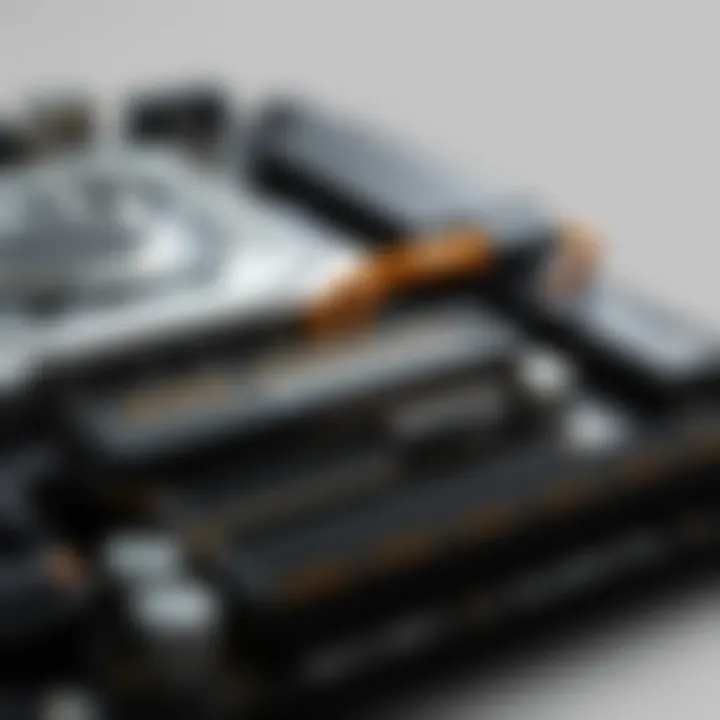
In the ever-evolving world of computer hardware, aesthetics play an increasingly important role in attracting buyers. The Gigabyte Z590 Aorus Master stands out with its striking aesthetics, featuring a sleek black and silver color palette, combined with bold geometric lines that create a modern and sophisticated look.
RGB lighting is integrated throughout the motherboard, enhancing its visual appeal. Users can personalize their setups with vibrant colors and effects that sync with other RGB components through software like RGB Fusion 2.0. This not only adds flair to the build but also allows users to tailor their gaming rigs or productivity setups to reflect personal style. As the saying goes,
Performance Benchmarks
When it comes to understanding a motherboard's capabilities, performance benchmarks play a vital role. They provide measurable insights into how well the board can handle various tasks, be it gaming or productivity workloads. For tech enthusiasts, gamers, and IT professionals, these benchmarks reveal not only the raw potential of the hardware but also its reliability and efficiency under different conditions. A well-rounded analysis of performance metrics helps users sift through marketing jargon and focus on what really matters—actual performance.
Gaming Benchmarks and Frame Rates
Gaming has become an integral part of many users’ lives, making the gaming performance of a motherboard crucial. In the case of the Gigabyte Z590 Aorus Master, gaming benchmarks are impressive, with a particular focus on frame rates. Frame rates are a significant determinant of the smoothness and responsiveness during gameplay. According to various tests, the Z590 Aorus Master consistently maintains high frame rates even in demanding scenarios, such as ultra settings in graphically intense games like Cyberpunk 2077 or Call of Duty: Warzone.
- Frame rates can fluctuate based on game optimization and graphic settings, but this motherboard ensures minimal drops.
- The Z590's robust thermal design allows components to perform optimally without overheating.
Benchmarks reveal that with an Intel Core i9 processor and a high-performance GPU, some games reached well over 144 FPS at 1440p resolution, a notable benchmark for avid gamers.
"The Gigabyte Z590 Aorus Master truly shines when it comes to gaming. It’s like having a finely tuned sports car on a racetrack—unmatched precision and speed."
Productivity Workloads and Multithreaded Performance
While gaming performance is paramount for a specific audience, productivity workloads can hardly be overlooked. Professionals who rely on the motherboard for tasks like video editing or 3D rendering need to know how well the Z590 Aorus Master handles multithreaded applications. Benchmark tests reflect that this motherboard excels in these scenarios, thanks in part to its support for high-core-count CPUs.
- Many users reported excellent performance in applications such as Adobe Premiere Pro and Blender, where multithreading is crucial.
- Productivity benchmarks often indicate the ability to efficiently handle multiple tasks, maintaining stability without bottlenecks.
In tests, users experienced reduced rendering times and snappy performance, proving that the Z590 Aorus Master can effectively juggle demanding workloads. This feature enhances it as a versatile choice for both gamers and professionals.
Overclocking Potential and Stability
Overclocking is a delicate dance between gaining performance and maintaining stability. The Gigabyte Z590 Aorus Master offers good overclocking potential, backed by a solid cooling solution and BIOS features designed for tweaking. Many enthusiasts view the ability to push components beyond their stock settings as a hallmark of a premium motherboard.
- The board's VRM design and phase power architecture contribute to stable voltage delivery, a crucial factor when overclocking.
- The availability of user-friendly BIOS settings makes it accessible for both seasoned overclockers and newcomers alike.
Several users reported being able to overclock their Intel processors by notable margins, achieving impressive performance figures while still maintaining system stability. However, overclocking isn't without risk, so understanding the motherboard's limits is essential.
In sum, performance benchmarks for the Gigabyte Z590 Aorus Master illustrate its strong stance across various applications, from gaming to professional workloads. Users can feel secure in their choice, knowing they have a motherboard that can deliver when it matters most.
Connectivity Options
Connectivity options are crucial for any motherboard, particularly for a high-performance model like the Gigabyte Z590 Aorus Master. This section delves into three key areas: USB ports with their data transfer speeds, networking capabilities, and audio output features. Each aspect plays a hands-on role in user experience, whether it's gaming, productivity, or content creation. A well-equipped motherboard in these areas can make all the difference.
USB Ports and Data Transfer Speed
The Gigabyte Z590 Aorus Master boasts a plethora of USB ports, making it quite a gem for tech aficionados. With a mix of USB 3.2 Gen 2 Type-A and Type-C ports, users can expect lightning-fast data transfer speeds that can reach a staggering 10 Gbps. This is perfect for tasks that require moving large files quickly, such as video editing or transferring backup data.
Here are some notable USB features:
- USB 3.2 Gen 2x2 Type-C: A modern addition that provides versatility and compatibility with the latest devices.
- Total of 10 USB ports, including rear and front-panel connections, ensuring enough access for multiple devices.
- Smart charging technology included in select ports, which can automatically adjust output for connected devices, meaning quicker charging for your gadgets.
This vast array of connectivity options simplifies component connections and enhances productivity, saving both time and frustration.
Networking Capabilities and Wi-Fi Integration
When it comes to networking, the Gigabyte Z590 Aorus Master doesn't hold back. It features a robust Intel 2.5 GbE LAN chipset that enhances wired connection speeds for those who prefer stability and reliability over Wi-Fi. But if you’re leaning toward wireless connections, fear not! The motherboard also includes integrated Wi-Fi 6 capabilities, providing not only faster speeds but better connection stability in environments with multiple active devices.


Key highlights include:
- Integrated Bluetooth 5.0, allowing seamless connectivity with peripherals and accessories.
- Support for advanced 802.11ax connections, which are especially handy in crowded connectivity zones, making online gaming and streaming smoother than ever.
- Optimal signal strength through an onboard antenna design, which helps keep your connection strong even from a distance.
Audio Output and Enhancement Features
The audio experience is another significant aspect; the Gigabyte Z590 Aorus Master comes with an impressive Realtek ALC1220-VB audio codec. This codec ensures clean, rich sound suitable for immersive gaming sessions or music production. The emphasis on high-definition audio is reflected in the utilization of premium audio capacitors and a layout designed to minimize interference.
Below are some features to note:
- 5.1 surround sound support, ideal for gamers who want to pinpoint audio cues in multiplayer scenarios.
- Separate audio pathways for enhanced clarity and performance, reducing cross-talk between channels.
- Software enhancements, like Smart Headphone Amp, that can adjust based on the connected device, ensuring optimal sound quality.
In summary, the connectivity options offered by the Gigabyte Z590 Aorus Master are top-notch and essential for anyone looking to build a powerful, versatile gaming or productivity rig. By providing a robust selection of USB ports, state-of-the-art networking capabilities, and high-quality audio features, this motherboard clearly caters to the varied needs of tech-savvy users.
Software and BIOS Features
The realm of motherboards is not just confined to the hardware; the software and BIOS features play an essential role in maximizing system performance and optimizing user experience. With the Gigabyte Z590 Aorus Master, the intricacies of its software components and BIOS functionalities stand out, ensuring users get not only a powerful device but also a seamless interaction with it. This section delves into these features, showcasing their significance and benefits.
BIOS Interface and Usability
The BIOS (Basic Input/Output System) of the Z590 Aorus Master is designed with user-friendliness in mind, helping both seasoned techies and newcomers alike navigate its functions with ease. The main interface is well laid out, organizing settings by category, making it simple to find what you're looking for.
For instance, users can tweak overclocking settings or adjust fan speeds without a steep learning curve. The intuitive graphical interface also includes mouse support, which is a modern touch that stands in contrast to the traditional keyboard-only navigation, streamlining any necessary adjustments.
Moreover, the options are rich yet straightforward. Whether one needs to alter boot priorities, manage SATA devices, or adjust RAM settings, the BIOS allows for efficient modifications, ensuring one’s system operates at peak performance.
Native Software Utilities and Tools
Gigabyte does not skimp on the software that complements the Z590 Aorus Master. The Aorus Engine is a standout utility that enables users to monitor system parameters in real-time. This software provides a plethora of functionalities, from adjusting the RGB lighting to managing system performance.
- Easy System Monitoring: Provides a readout of CPU temperature, usage stats, and fan speeds.
- Overclocking Tools: Users can push their hardware to new limits, testing stability with the built-in stress test features.
- Custom Profiles: Users can save configurations for different scenarios, whether it’s for gaming, productivity, or general browsing.
Besides the Aorus Engine, you'll find utilities for updating drivers, monitoring CPU usage, and even tools for handling audio settings. All these features position the Z590 Aorus Master as a motherboard that not only supports hardware performance but enhances the overall experience.
Firmware Update Protocols
Firmware updates are critical to maintaining a motherboard’s efficiency and compatibility with new hardware or software changes. The Z590 Aorus Master makes this process relatively straightforward.
Gigabyte’s Q-Flash utility allows users to update the BIOS without the need for additional software or operating system. All you need is a USB drive with the latest firmware, and the update can be executed directly from the BIOS interface itself.
This convenience is particularly valuable for those wanting to ensure their systems stay up to date without any daunting complexities. Furthermore, Gigabyte outlines best practices for maintaining firmware—advising users to check for updates regularly, especially after releasing new components or experiencing system issues.
"Regular firmware updates keep your motherboard running smooth and compatible with the newest technologies."
Utilizing these software tools and ensuring your BIOS is updated embodies a commitment to maximizing the Gigabyte Z590 Aorus Master’s capabilities, paving the way for an optimal computing experience.
Comparison with Competitors
In the ever-evolving landscape of the motherboard market, understanding how the Gigabyte Z590 Aorus Master stacks up against its competitors is crucial for discerning consumers. This section navigates through the significant reasons why such comparisons hold weight. Not only do they shed light on performance metrics, but they also highlight unique features that can influence purchasing decisions. A well-rounded evaluation helps tech enthusiasts, gamers, and IT professionals filter through the noise and focus on what truly matters.
Evaluating Alternatives in the Same Price Range
When comparing alternatives in the same price bracket, the Z590 Aorus Master faces stiff competition from several other high-end motherboards. Brands like ASUS, MSI, and ASRock release competitive options that often boast similar specifications and features. Here are some notable contenders:
- ASUS ROG Strix Z590-E Gaming WiFi: This motherboard is well known for its excellent power delivery and top-notch connectivity options, making it a rival worth considering.
- MSI MEG Z590 Unify: With a no-frills design focused on performance, it offers similar features but with a different aesthetic approach that might appeal to certain users.
- ASRock Z590 Taichi: Known for its distinct look and its comprehensive feature set, it stands out as a viable choice for those who want both functionality and design.
Despite the market's abundance of options, what often sets the Z590 Aorus Master apart is its balance of performance and aesthetics. While the listed alternatives shine in specific areas, the Aorus Master delivers versatility without compromising quality. Buyers should ponder their individual needs: Are gaming capabilities a priority? Or is productivity a more pressing concern? Breaking down such elements is key to making informed choices.
Key Differentiators of the Z590 Aorus Master


The Z590 Aorus Master holds several distinctive traits that place it in a category of its own. Understanding these differentiators can profoundly affect the decision-making process for potential buyers:
- Robust VRM Design: The advanced voltage regulator module (VRM) setup ensures stable power to the CPU, especially beneficial for overclockers looking to push boundaries.
- Comprehensive Connectivity: With a host of USB ports, Thunderbolt 4 support, and a 10 GbE Ethernet, it caters to a wide array of user preferences and requirements, ideal for both gamers and content creators.
- Gamer-Friendly Features: The incorporation of customizable RGB lighting in sync with an extensive hands-on software experience offers a personal touch that appeals to gamers aiming to create an appealing setup.
"Every detail counted in the creation of the Z590 Aorus Master, resulting in a motherboard that doesn’t just perform but also connects with its users on several levels."
In the grand scheme of things, one needs to weigh the benefits and drawbacks of each model against personal usage scenarios or preferences. While alternatives in the same price range are certainly commendable, the Gigabyte Z590 Aorus Master’s unique blend of performance, design, and user-centric features make it a strong contender worthy of consideration.
For those looking to dive deeper into motherboard comparisons, additional insights can be found on forums like reddit.com or dedicated product reviews on tech resource sites such as tomshardware.com and anandtech.com. The choices are plentiful, but with a discerning eye, one can find the right fit.
User Feedback and Reviews
In the realm of technology and consumer hardware, the voice of the user rings with a weight that can hardly be overstated. When it comes to a complex piece of hardware like the Gigabyte Z590 Aorus Master motherboard, user feedback and reviews tell a compelling story. They provide insights that technical specifications alone can't deliver. It's through these firsthand accounts that potential buyers can gauge not only how well a product performs on paper but how it holds up in real-life scenarios.
User reviews encompass a range of experiences, from installation ease to long-term reliability. Customers often highlight specific aspects that stand out to them, both positively and negatively, shaping a better understanding of the motherboard's practical uses. By undergoing this user-centric examination, we can discern a clearer picture of the Z590 Aorus Master and its place within the tech landscape.
Common Praise and Drawbacks
Feedback from users often reflects a blend of positive and negative sentiments, creating a balanced view of the Z590 Aorus Master. Here are some common themes that emerge:
- Performance Excellence: Many users commend the motherboard for its outstanding performance in high-demand situations. Gamers, in particular, rave about the smooth gameplay experiences even at high settings, underpinned by the effective power delivery system.
- Overclocking Capabilities: Tech enthusiasts frequently point out the impressive overclocking potential. Its robust thermal design and comprehensive BIOS options allow users to push their systems further without compromising stability.
- Connectivity Options: The wide array of USB ports and the fast network capabilities receive high marks. Users appreciate having multiple USB 3.2 ports available for devices such as gaming peripherals and external storage.
- Aesthetic Appeal: Many reviews highlight the stylish design and RGB lighting features. Users note that the motherboard not only performs well but also looks great within a custom build.
However, the feedback isn't entirely rosy. Some users have expressed concern about:
- Complex BIOS: A segment of the user base found the BIOS interface less intuitive. Novices might find it challenging to navigate through the various settings and options.
- Price Point: While many agreed on the quality being worth the price, others cited it as a drawback, particularly when compared to similarly priced alternatives that might not offer the same features.
Long-term User Insights
Long-term user insights enrich the discourse around the Gigabyte Z590 Aorus Master by providing a more durable perspective on its reliability and performance over time. Users who have had the motherboard for an extended period often share valuable observations such as:
- Longevity and Durability: Many reviews from long-term users indicate that the motherboard holds up well against wear and tear, maintaining peak performance years after purchase. This aspect is especially appreciated by users who engage in intensive workloads day in and day out.
- Support and Updates: Users have noted the reliability of firmware updates, which occasionally address bugs and enhance features. This responsiveness from the manufacturer fosters a sense of trust in the product.
- User Community: Long-time users often refer to resourceful communities on platforms like Reddit or Facebook, where fellow enthusiasts share tips, solutions, and modifications. This collaborative spirit enhances the overall experience, ensuring that newcomers can learn from veterans.
In summary, user feedback and reviews act as a window into the lived experience with the Gigabyte Z590 Aorus Master motherboard. Potential buyers can weigh the praises against the drawbacks to make an informed decision, ensuring alignment with their specific needs and use cases.
For further insights, community feedback, and discussions, relevant links might include: Reddit, Wikipedia, TechSpot, and Tom's Hardware.
Finale
In wrapping up the exploration of the Gigabyte Z590 Aorus Master motherboard, we find that this piece of hardware is more than just a circuit board; it's a testament to advanced engineering designed for performance enthusiasts. The importance of understanding this motherboard extends beyond its specs. With the right insight, users can leverage its full potential, whether in daily tasks or high-stakes gaming.
When evaluating components like the Z590 Aorus Master, several factors come to the fore. Performance capabilities are crucial; this motherboard supports an array of the latest CPUs, boasting features that enhance everything from gaming sessions to productivity applications. In addition to raw power, its expandability enables users to customize their setups extensively, ensuring longevity in a rapidly evolving tech landscape.
Another key element to reflect on is the design and build quality. The aesthetic appeal, augmented by RGB lighting, speaks to a growing trend where functionality meets style. It's clear that professionals and gamers alike will appreciate not just how well it performs but also how it fits into their overall build – all parts working in harmony and looking sharp while doing so.
Moreover, the community feedback provides invaluable insights. Sifting through user experiences can highlight potential drawbacks and strengths, allowing prospective buyers to make informed choices. The potential issues, such as heat management or software glitches, are essential to weigh against the motherboard’s benefits.
Understanding the Z590 Aorus Master isn’t just about the here and now; it’s about appreciating how it sets the stage for advancements in motherboard technology. The careful integration of modern features indicates readiness for future workloads, which is a significant plus for anyone looking to invest wisely.
Ultimately, the Gigabyte Z590 Aorus Master motherboard stands out as an excellent choice for tech-savvy users. It emphasizes the balance of performance, design, and long-term viability, making it a cornerstone for any serious computing setup.
Final Thoughts on the Gigabyte Z590 Aorus Master
Reflecting on the Gigabyte Z590 Aorus Master, the sentiment is clear: it has something for nearly every type of user. The careful thought put into features and the responsiveness it offers places it among the best in its class. For gamers, the enhanced frame rates deliver an edge in competitive play, while professionals will find a robust tool for demanding tasks.
Its integration with high-speed connectivity, effective thermal management, and rich software features means that it remains not just relevant, but quite possibly ahead of the curve in a fast-paced market. As more components enter the tech arena, the Z590 Aorus Master will continue to serve its purpose effectively, making it a strong candidate for anyone looking to upgrade their system.
Future Perspectives for Motherboard Technology
As we gaze into the future of motherboard technology, several trends are likely to shape the landscape. First off is the ever-increasing need for bandwidth and performance efficiency. With the rise in demand for data-intensive applications, manufacturers must prioritize innovations that provide sustained performance under pressure.
Moreover, the integration of AI and machine learning into various computing processes may lead to smarter motherboards capable of dynamically adjusting performance based on workload—something akin to how modern cars manage their engines under different speeds. Such advancements could redefine user experience, allowing for seamless transitions between tasks without compromising performance.
The modular design is also something to keep an eye on. Components that can be easily swapped and upgraded would herald a new era of customization. This flexibility will cater to diverse markets, from casual users to hardcore gamers, ensuring that motherboards remain relevant, adaptable, and efficient.
In short, as the tech world evolves, the foundations laid down by products like the Z590 Aorus Master will only catalyze future innovations in motherboard tech. The marriage of aesthetics, performance, and user-centered design solutions seems set to flourish, driving our digital experiences to newer heights.